


Fill your closet automatically
Aesty reads the outfit photos already in your camera roll and files every piece in your closet, so you don't photograph your clothes one by one.
Updated November 24, 2026
Steps
- Start the scan when you sign up, or later from the Scan my photos banner at the top of the Closet tab. The banner shows until you've run a scan.
- Allow access to your photos. Aesty only looks for photos of you, using your selfie.
- Your phone finds the outfit in each photo. The scan runs on your device; only the outfit photos it finds are uploaded.
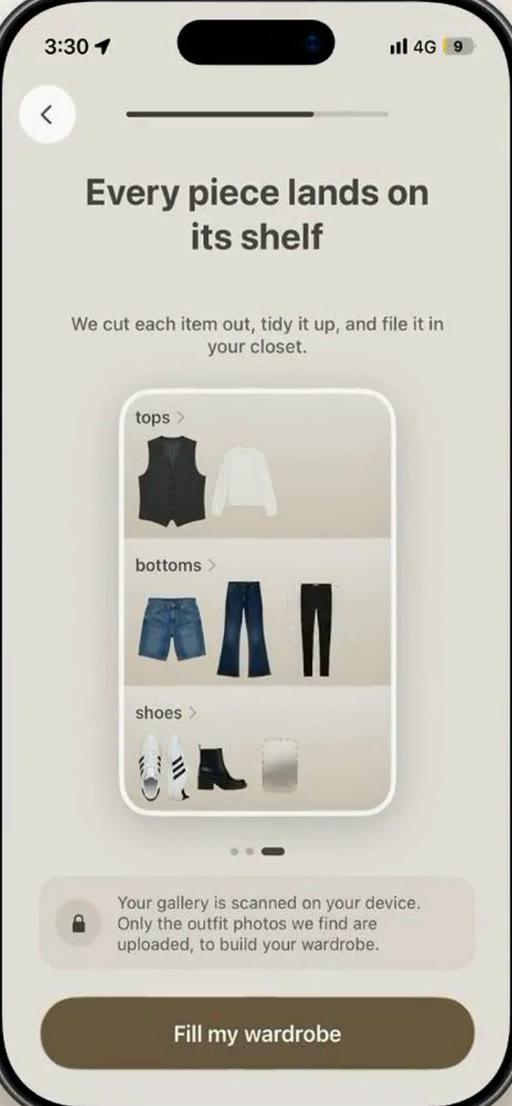
- Every piece is cut out, tidied up and filed in your closet.
- You get a summary: the items found, your style and your top colors.
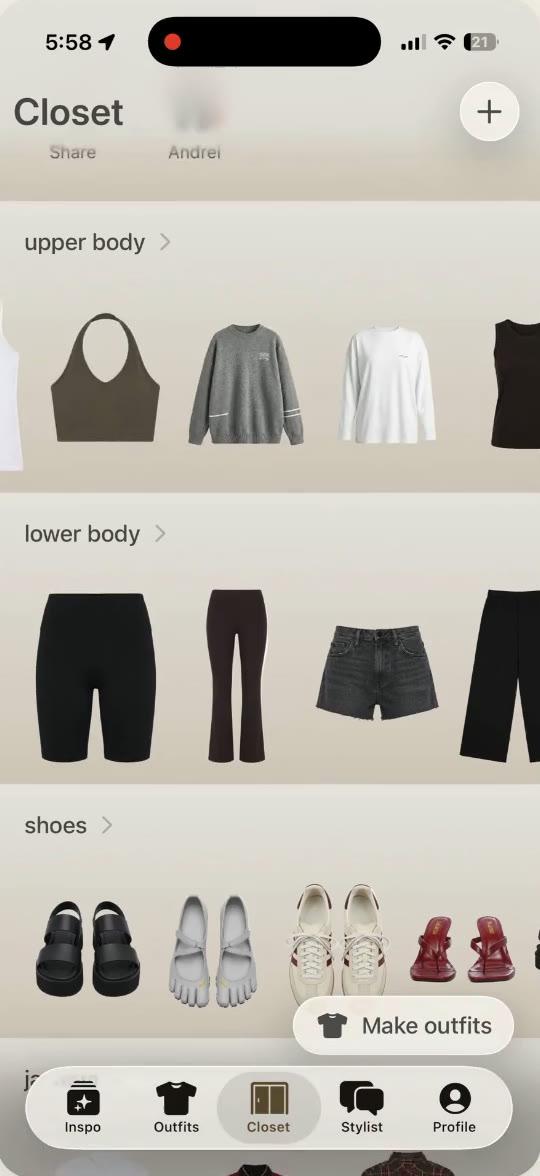
- Open the Closet tab: everything is sorted into tops, bottoms, shoes and jackets.
Good to know
- The scan needs full photo access. A limited selection isn't enough.
- Keep the app open while it scans.
- The full scan comes with Aesty Pro and uses no credits. It runs once per account, on up to 100 outfit photos.
- If your library has too few outfit photos, Aesty says so. Pick a few looks to start, and add clothes by hand any time.
- If a piece that isn't yours slips in, delete it from your closet.